

All Posts
6 min read
Xero integrations: the best app integrations and Xero add ons for finance teams in 2026 - 2027
Published on 19 October 2026
Answering your question: What are the best Xero integrations for finance teams in 2026 - 2027?
If you're searching for the best Xero integrations, the answer depends on what your finance team actually needs to get done each day. Xero's App Marketplace hosts over 1,000 apps as of 2026, and sifting through them without a clear purpose is a recipe for wasted time. Here are the standout integrations worth considering, grouped by what they solve:
- Payments and collections: Stripe, GoCardless, PayPal
- Expense and accounts payable automation: Dext, ApprovalMax, Tipalti
- Customer relationship management and sales: HubSpot, Salesforce, Pipedrive
- Inventory management and ecommerce: Shopify, Unleashed, Cin7
- Time tracking and job management: Harvest, Planday, Deputy
- Reporting and forecasting: Syft Analytics, Spotlight Reporting, Fathom
- Commercial finance and funding: FundingSearch
The "best" stack comes down to whether your biggest pain point is chasing unpaid invoices, managing inventory, improving reporting, or sourcing external funding. A services agency will lean toward time tracking and CRM integrations, while a wholesaler needs inventory and accounts payable tools.
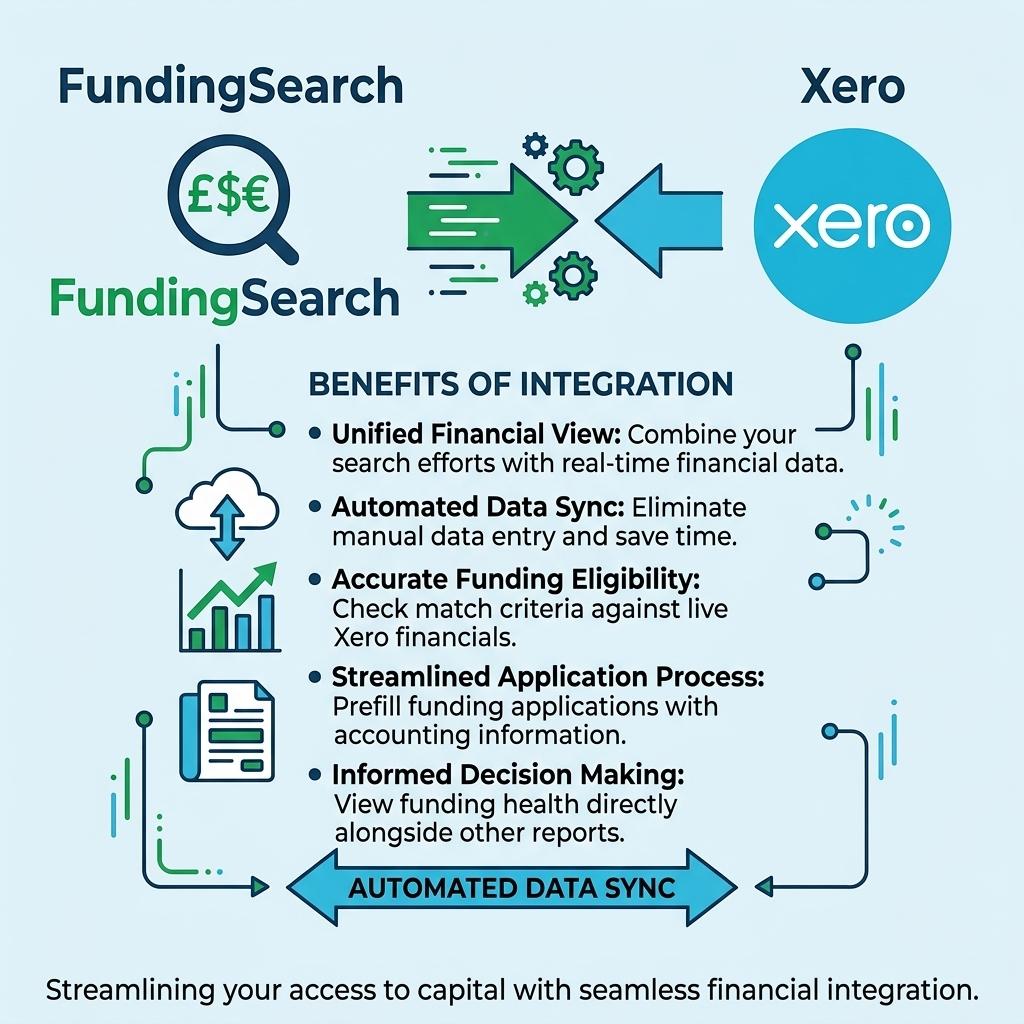
FundingSearch is a Xero-connected platform built specifically for sourcing commercial finance. It uses verified Xero data to match UK small business owners, brokers, and advisers with lenders across business loans, invoice finance, asset finance, and more - all without manually assembling financial packs, and sits alongside broader innovations in fintech-driven commercial finance that are reshaping how SMEs access funding.
What is Xero and why do finance teams rely on it?
Xero is cloud based accounting software used by millions of small businesses, accountants, and finance teams worldwide. Founded in 2006 and headquartered in Wellington, New Zealand, Xero has grown to over 4.6 million subscribers globally by 2026, with especially strong adoption in the UK, Australia, and New Zealand.
Its core capabilities cover invoicing and quotes, automatic bank feeds, VAT compliance including Making Tax Digital for UK businesses, accounts payable and receivable, Xero Payroll for handling RTI and pension auto-enrolment, and straightforward reporting like profit and loss, balance sheet, and aged receivables. Xero's marketplace is designed for small business needs, keeping costs well below legacy ERP systems while still delivering multi-user access, clear audit trails, and robust record-keeping.
What makes Xero more than just an accounting platform is its ecosystem. Integrations and Xero add ons extend it into payments, expenses, CRM, inventory, and even commercial finance - turning it into a central hub for finance operations rather than a standalone ledger.

How Xero integrations and Xero add ons work
There's an important distinction between Xero add ons and third party app integrations. Add ons like Xero Expenses, Xero Practice Manager, and Xero HQ are built and maintained by Xero itself. They sit inside the Xero ecosystem with tight consistency and direct support. Third party applications, on the other hand, are separate tools developed by other SaaS companies that integrate with Xero via its open API.
Xero uses OAuth 2.0 for API authentication, meaning users authorise a connection without sharing passwords. Once connected, data flows between systems - invoices, bills, bank transactions, and contact records sync based on the integration's design. Xero supports native integration with third party software through the Xero App Store, and its open API also allows custom integrations for more specialised needs. You can explore these through the Xero Developer Centre if building something bespoke.
Here are common examples of how data flows work in practice:
- A payment app like Stripe creates a "Pay Now" button on Xero invoices; when customers pay, the payment status updates and reconciles in the Xero ledger automatically.
- An expenses tool like Dext captures receipts via OCR, codes them to the right account codes, and pushes entries into accounts payable.
- An inventory management tool like Unleashed tracks stock levels and cost of goods sold, updating the accounting ledger whenever products move.
- A CRM like HubSpot syncs customer balances, invoice history, and payment status so sales and finance teams see the same real time data.
Xero's official App Store features certified third party applications categorized by function. Xero requires apps to be certified to list in the marketplace, and apps are organized by use case, industry, and region. There are over 1,000 integrations available, with many apps covering categories from payments and customer relationship management to inventory management, time tracking, and reporting. Some integrations are click-to-connect inside the Xero app, while others use no-code middleware like Zapier or custom-built connections via the Xero API.
Core benefits of integrating with Xero for finance teams and small businesses
Xero integrations exist for one reason: to remove manual processes from your accounting workflow and replace them with automation that actually works. The result is fewer errors, richer financial data, and better decisions for finance teams of every size.
Here's what that looks like in practice:
- Automated bank feeds, invoice posting, and accounts payable workflows eliminate most manual data entry. Integrating apps reduces manual data entry by 66%, freeing your team for higher-value work. Automated data capture enhances transactional accuracy in accounting software.
- Real time visibility into spending and cash flow means you can track payments, monitor aged payables and receivables, and spot margin changes before they become problems. Xero integrations aim to improve financial visibility and reporting accuracy.
- Workflow automation tools reduce repetitive administration tasks by connecting applications. Stronger internal controls come through approval workflows, audit trails, and separated duties - especially with tools like ApprovalMax layered on top.
- Better collaboration between finance teams, sales, operations, and advisers happens naturally when everyone works from the same shared data. No more "I have a different version of these accounts."
- Xero integrations can automate tax compliance processes, and for UK small businesses meeting HMRC and Making Tax Digital requirements, specialised accounting tools keep VAT returns, payroll, and cross-border payments compliant without heavyweight systems. Connecting a payroll platform to Xero saves hours of manual reconciliation each month.
- Automated workflows save time and improve accuracy in financial tasks, and Xero's app integrations improve cash flow management and streamline business processes across the board.
These benefits matter especially when seeking external finance. Cleaner, well-structured Xero data supports faster funding decisions from lenders and investors, especially when combined with open banking for SME lending - which is precisely where FundingSearch's Xero integration becomes valuable.
FundingSearch + Xero: using your accounting software to unlock commercial finance
FundingSearch is a UK-based B2B fintech deal origination platform for commercial finance, founded in 2025 in Sheffield. It connects SMEs, commercial finance brokers, and lenders through an AI-driven matching engine built on verified financial data and a broader vision to digitise the UK commercial funding market.
Here's how FundingSearch integrates with Xero specifically:
- Businesses and accountants securely connect their Xero account to FundingSearch using Xero's OAuth 2.0 flow. No passwords are shared - the connection is authorised in just a few clicks.
- FundingSearch pulls read-only financial data including profit and loss, balance sheet, bank transaction summaries, aged receivables and payables, and key financial ratios. This pre-qualifies the business for suitable lending products.
- The platform's AI matching algorithms use this verified Xero data to match SMEs with UK lenders across seven product types: business loans, invoice finance, asset finance, asset-based lending, commercial mortgages, bridging finance, and trade finance.
The specific benefits for finance teams are substantial:
- It eliminates the manual work of exporting management accounts, CSVs, and PDF packs for every lender or broker. Integrations can simplify bookkeeping processes for commercial finance applications.
- Figures flow directly from the Xero ledger, reducing re-keying and expense errors in applications. In one documented case, a manufacturing SME needed £400,000 in combined asset and invoice finance - FundingSearch delivered decision-ready terms in 6 days instead of four weeks, with rekeying errors dropping by over 70%.
- Lenders see up-to-date, trusted numbers rather than stale financial statements, which supports faster indicative terms and higher-quality applications.
FundingSearch also connects to Companies House and Sage, enabling brokers and professional advisers to work with multiple data sources. Unlike generic Xero integrations focused on day-to-day bookkeeping, FundingSearch is purpose-built for sourcing and structuring commercial finance deals, effectively operating as commercial finance broker software that streamlines deals from enquiry to completion.

Key Xero integration categories finance teams should know
Finance teams rarely need every app in the marketplace. Instead, think in categories aligned with your core financial workflows. Xero integrates with over 30 categories of apps - the marketplace includes categories like payroll, inventory, and payments, among many others.
Here are the categories that matter most:
- Payments and bank feeds: accepting card and online payments, feeding transactions into Xero, reconciling Xero automatically. This is where you receive payment and track it through to bank statements.
- Expense and comprehensive spend management: digitising receipts, enforcing policies, coding expenses to accounts payable, helping you reimburse employees faster.
- Accounts payable automation: OCR, three-way matching, scheduled bill payments - handling Xero bills at scale.
- Customer relationship management: keeping sales and finance aligned on invoices, credit limits, and due dates.
- Inventory and operations: syncing stock levels, cost of goods, and fulfilment with the ledger - critical for businesses managing inventory across multiple locations.
- Time tracking and professional services: turning timesheets into invoices and WIP reports.
- Reporting and forecasting: layering KPIs, dashboards, and scenario planning on top of Xero data.
- Commercial finance and lending: using verified Xero accounts to secure business loans and working capital via platforms like FundingSearch.
Each category ties back to removing friction from how your finance team operates day to day.
Best-in-class Xero integrations by use case
Here are the specific tools finance teams are choosing in 2026, grouped by what they solve.
Payments and bank feeds
- Stripe: a widely used payment processor integrated with Xero. It supports online card payments and wallets including Apple Pay and Google Pay for Xero invoices, with automatic invoice reconciliation. Xero's integration with Stripe automates payment processing entirely. UK domestic card fees run approximately 1.5% + £0.20 per transaction.
- GoCardless: direct debit and recurring payments, especially popular for UK and European subscription and invoice collections. Automated payment processing helps reduce the time spent chasing overdue invoices.
- PayPal: PayNow buttons on Xero invoices, quick setup for small businesses selling via an online store. Integrating with Xero allows for real-time data feeds from payment processors.
Expense and spend management / accounts payable
- Dext: receipt capture tools help digitize supplier invoices and expense receipts. Dext uses OCR to capture, code, and export items to Xero bills and Xero Expenses - reducing duplicate data entry and manual entry across the board.
- Tipalti: heavy-duty accounts payable automation and global payments for larger SMEs. Tipalti reduces payables processing time by 80% with Xero integration, making it ideal for businesses with multi-entity or international suppliers.
- ApprovalMax: advanced approval workflows for bills and purchase orders, layering controls on top of Xero and strengthening document management.
Customer relationship management and sales
- Salesforce: enterprise-grade CRM integrated via marketplace connectors. Salesforce integration allows tracking of invoice payment status in real-time, keeping sales and finance on the same page.
- HubSpot or Pipedrive: popular CRMs for smaller sales teams that integrate with Xero to tie deals to invoices and receipts.
Inventory management and ecommerce
- Shopify: Shopify syncs sales data automatically with Xero for easy reconciliation, including Shopify payments, daily sales summaries, and fees. E-commerce integrations sync online store sales and customer data directly into Xero.
- Cin7 / DEAR / Unleashed: inventory management platforms for product-based businesses. Many Xero integrations can handle multi-warehouse tracking for inventory management, pushing stock movements and costs into the Xero chart of accounts.
Time tracking and job management
- Harvest and Streamtime: turn logged time into Xero invoices, ideal for agencies and professional services. Time tracking data is automatically synced to the Xero ledger.
- Planday or Deputy: workforce scheduling and time tracking feeding into payroll and job costing.
Reporting and analytics
- Syft Analytics, Spotlight Reporting, Fathom: these tools pull Xero data into visual dashboards, KPI packs, and three-way forecasts for finance teams, accounting firms, and advisers.
Commercial finance and funding
- FundingSearch: a UK-centric platform that reads Xero data to match SMEs and their advisers with suitable lenders and funding products, turning accurate accounting data into better financing outcomes and helping businesses compare business and commercial lending options more efficiently.
How FundingSearch uses Xero data to improve lending decisions
Lenders increasingly prefer verified financial data pulled directly from accounting software rather than manually assembled spreadsheets. FundingSearch responds to this trend by building its entire origination workflow on top of live Xero and Sage connections.
Once Xero users authorise access, here's what FundingSearch typically reads:
- Trailing 24–36 months of profit and loss and balance sheet data, providing a clear view of trading history and financial statements.
- Bank feeds summaries, cash flow trends, and key ratios like interest cover and leverage - giving lenders confidence in the numbers.
- Aged debtors and creditors to understand working capital and reliance on major customers.
- Invoice finance-relevant metrics such as average days sales outstanding and debtor concentration, pulled from the user's chart of accounts and transaction records.
FundingSearch's AI matching engine uses this data to:
- Identify which commercial finance products are feasible - whether that's invoice finance, an unsecured business loan, asset finance, or short-term commercial bridging finance.
- Pre-screen deals against lender criteria including turnover, sector, profitability, trading history, and tax rates where applicable.
- Present brokers, advisers, and SMEs with a curated short list of lenders likely to fund the deal.
By integrating directly with Xero, FundingSearch reduces typical application pack preparation time from days to hours - a significant improvement for finance teams managing multiple entities. All data access is read-only and subject to UK data protection rules, giving finance teams comfort around security and GDPR compliance.

Choosing the right Xero integrations for your finance tech stack
Choosing the right integrations should address administrative bottlenecks within your business rather than adding complexity. Here's a practical framework:
- Map your core workflows: accounts payable, accounts receivable, payroll, reporting, funding, and management reporting. Identify where manual processes are slowing you down.
- Identify bottlenecks: slow bank reconciliation, manual approvals, poor CRM visibility, frequent re-keying into lender portals, or switching tools constantly to find what you need.
- Shortlist 1–2 apps per pain point from the Xero App Store, focusing on well-reviewed options with UK support.
- Check integration depth: direction of sync (one-way vs. bidirectional), frequency (real time vs. daily), and which fields are supported - tax codes, tracking categories, inventory items.
- Pilot with a small team and one legal entity, then roll out across the business once processes are stable.
For UK SMEs and advisers trying to access funding, a FundingSearch + Xero connection belongs in the core stack alongside payments, expenses, and reporting. Involve accountants, brokers, and department heads when choosing integrations so that financial workflows span the whole business. And avoid rolling out more than one or two new integrations at a time - change fatigue and reconciliation errors are real.
Implementation tips and Xero integration best practices
Here are non-technical but essential best practices for finance teams rolling out Xero integrations.
Planning and governance
- Assign an internal "app owner" for each major integration - someone who understands both finance and operations and can troubleshoot when things don't sync.
- Document which system is the source of truth for customers, products, and bank data. This prevents conflicting edits and keeps other apps aligned with Xero as the primary accounting ledger.
Data quality
- Clean up your chart of accounts, tracking categories, and contact records before connecting new tools. A messy Xero chart leads to messy mappings. Validate the user's chart structure against what you actually report on.
- After the first sync, compare a small batch of invoices or Xero bills between systems to catch mapping issues early.
Security and access
- Restrict who can authorise Xero connections. Use role-based access and MFA for key tools, and review third party apps connected to your Xero account regularly.
- Revoke old app connections in Xero's settings, especially when staff or advisers leave.
Ongoing maintenance
- Schedule quarterly reviews of integrations to confirm they still fit your processes, pricing, and bank statements workflows.
- Keep an eye on vendor roadmaps and Xero API changes - such as the move to granular scopes by September 2027 - that might require minor workflow adjustments.
FundingSearch-specific implementation
- Connect your Xero organisation, review the automatically extracted financial summary, then work with your broker or adviser to interpret lender matches. Integrations with Xero automate data entry and reduce human error, so the numbers FundingSearch presents should closely mirror your internal reports. Where they don't, it usually signals a chart of accounts issue worth fixing.
Examples of common Xero integration stacks by business type
These are starting points - real stacks vary by sector, complexity, and the maturity of your finance team.
Service-based agency (creative, marketing, consulting)
- Xero for core accounting and bank feeds
- Harvest or Streamtime for time tracking and project management, invoicing to Xero
- Dext for expenses and receipts
- Syft or Spotlight for client-facing management reports
- FundingSearch for sourcing invoice finance or unsecured business loans to smooth cash flow, giving brokers and advisers mortgage-grade finance broker technology for commercial lending
Product and inventory-heavy SME (wholesale, light manufacturing, ecommerce)
- Xero for general ledger and VAT returns
- Shopify and/or BigCommerce plus Cin7/DEAR for managing inventory
- Stripe, PayPal, or SumUp for payments feeding into Xero
- ApprovalMax for multi-step accounts payable approvals
- FundingSearch to explore asset finance, asset-based lending, or trade finance funding options using live Xero data
Professional practice (accountants, brokers, advisers)
- Xero Practice Manager and Xero Workpapers for client management and compliance
- Dext or similar for high-volume client bookkeeping
- Reporting tools like Syft for advisory services
- FundingSearch as a partner solution to add commercial finance referrals for clients based on their Xero data, with a dedicated contact and support channel for brokers and accountants
Each of these stacks shows how apps built for specific purposes layer onto Xero without requiring a monolithic ERP - keeping things lean while covering the workflows that matter.
FAQs about Xero integrations, bank feeds, and commercial finance
Do I need a developer to integrate with Xero, or can I do it from the Xero App Store?
Most integrations are click-to-connect from the Xero App Store - no developer needed. Xero requires a certified app partner for marketplace listings, so listed apps meet quality and security standards. If you need something custom, Xero's open API allows custom integrations through the Xero Developer Centre.
What's the difference between bank feeds and payment integrations in Xero?
Bank feeds import transactions from your bank into Xero for reconciliation. Payment integrations like Stripe or GoCardless let customers pay Xero invoices directly, and the payment is reconciled Xero automatically. They serve different purposes but work well together.
Can I use Xero data directly with lenders when applying for business loans?
Yes. Platforms like FundingSearch pull read-only financial data from your Xero account to pre-qualify your business and match you with suitable lenders. This is faster and more reliable than emailing PDF financial statements.
How does FundingSearch access and use my Xero data, and is it read-only?
FundingSearch connects via OAuth 2.0 - no passwords shared. Access is read-only, covering profit and loss, balance sheet, aged receivables, and bank transaction summaries. Your data is protected under GDPR and FCA requirements, and you control which lenders see your information.
Will integrating multiple apps slow Xero down or create duplicate entries?
Not if you set them up correctly. Map which system owns which data to avoid duplicate data entry. Xero handles many apps well, and most certified third party software is designed to prevent conflicts. Review connections quarterly.
How do I disconnect an integration if it's not working for my business?
Go to Settings in your Xero account, find Connected Apps, and revoke access. The app loses permission immediately. Switching tools is straightforward - just ensure any in-flight transactions are reconciled before disconnecting.
Bringing it all together: building a Xero-first finance stack that supports funding
Xero remains the system of record for millions of Xero users worldwide, but integrations are what make it genuinely powerful - covering payments, accounts payable, inventory management, customer relationship management, and reporting in ways the core accounting software can't do alone.
The best Xero integrations are those that remove manual work, give clearer insight, and fit how your finance team already operates. They reduce expense errors, eliminate manual entry, and provide real time visibility across your entire business.
FundingSearch sits alongside these tools as a specialist native Xero integration that turns accurate accounting data into better commercial finance outcomes. If your SME lending needs are being held back by slow document gathering and guesswork about which lenders will say yes, connecting your Xero organisation to FundingSearch is a practical next step.
Review your automatically generated financial profile, explore matched funding options, and let verified Xero data do the heavy lifting for your next commercial finance application.